
Pretty simple and ingenious thing that just incredibly simplifies life, and saves time when working at the computer.
Step 1.
Buy a mouse with extra buttons.
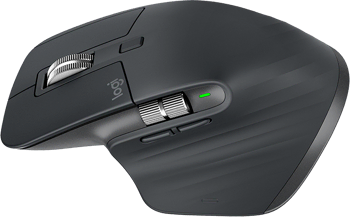
I absolutely love the Logitech MX Master. If it breaks, I’ll buy a mouse from the same line. I don’t know of anything more comfortable.
Step 2.
Reconfigure the side additional buttons to press Ctrl+C and Ctrl+V (on Mac CMD+C and CMD+V respectively).
I put the Enter command on the bottom button.
It’s amazing how many times I have to copy and paste in a day, and thus it’s not done with fingers on the keyboard, or by pressing key combinations, but with one finger on the mouse.
I am not even talking about using Enter on the mouse. It is much more convenient to press Enter on the mouse than to reach for the keyboard.
In general, I highly recommend it, it saves a lot of time and effort every day.